开发一个 vue 的 eslint 插件
开发一个 vue 的 eslint 插件
John Doe开发一个 vue 的 eslint 插件
需求
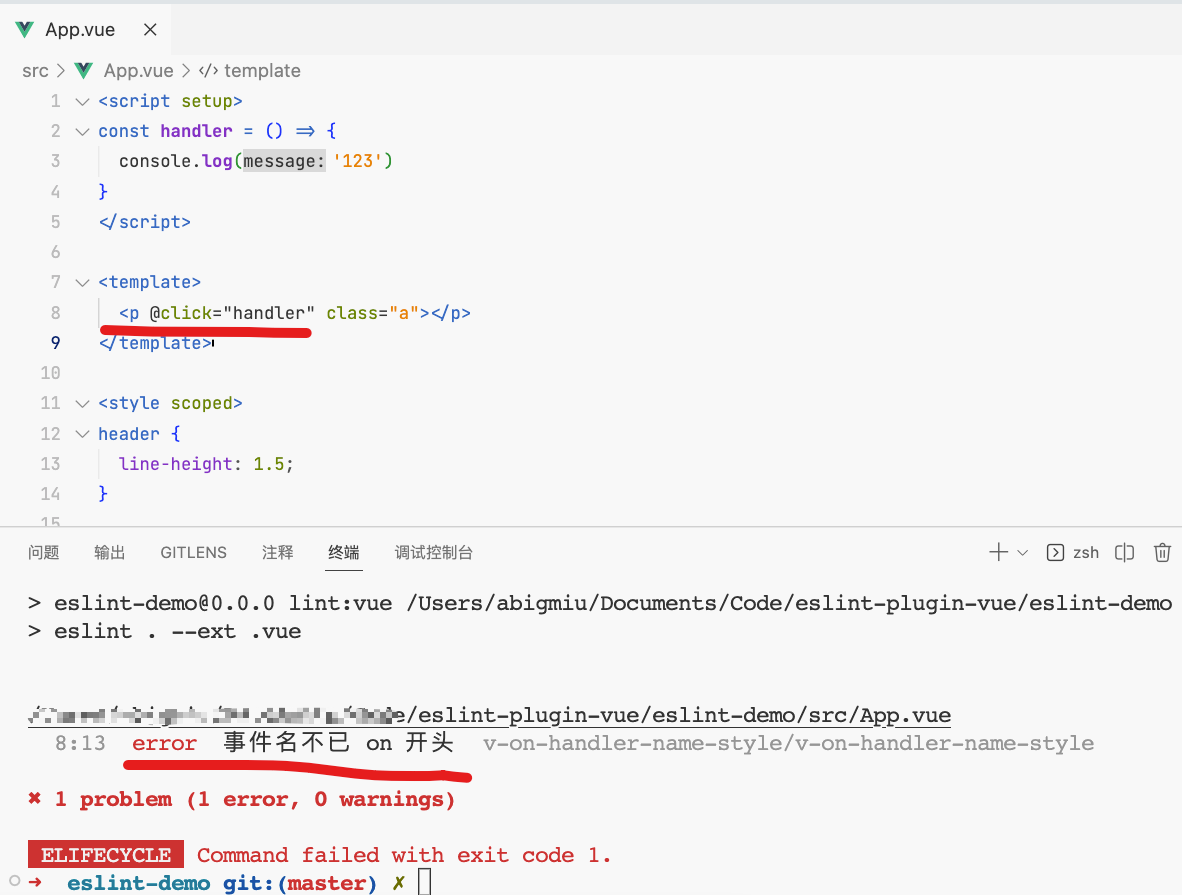
vue template里面的事件名只能已on 开头
实现效果
image-20230528172725188
实现步骤
创建调试程序和 eslint
插件程序
创建调试程序
我创建的文件夹名称为eslint-demo
1 | pnpm create vue |
创建eslint 插件程序
我创建的文件夹名称为v-on-name-sartwith-on
首先安装eslint 脚手架
1 | pnpm i -g yo |
生成 Eslint 插件工程。
1 | yo eslint:plugin |
为插件创建一条规则,执行如下命令:
1 | yo eslint:rule |
文件目录参考
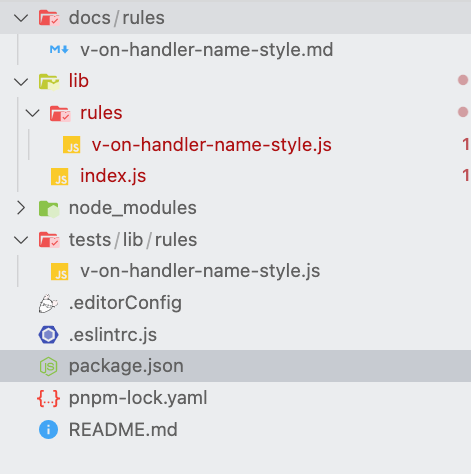
image-20230528173706552
link 插件
在v-on-name-sartwith-on 这个项目里面执行
1 | pnpm link --global |
在eslint-demo 这个项目里面执行(注意,
这里的名称是package.json 里面的名称)
1 | pnpm link --global eslint-plugin-v-on-handler-name-style |
编写代码
eslint-demo项目 App.vue
1 | <script setup> |
v-on-name-sartwith-on 项目
lib/index.js
1 | /** * @fileoverview 判断 v-on 的 handler 是否已 on 开头 * @author abigmiu */'use strict';// const vueParser = require.resolve('vue-eslint-parser');//------------------------------------------------------------------------------// Requirements//------------------------------------------------------------------------------const requireIndex = require('requireindex');//------------------------------------------------------------------------------// Plugin Definition//------------------------------------------------------------------------------const rules = requireIndex(__dirname + '/rules');module.exports = { |
lib/rules/v-on-handler-name-style.js
1 | /** * @fileoverview 判断 v-on 的 handler 是否已 on 开头 * @author abigmiu */'use strict';//------------------------------------------------------------------------------// Rule Definition//------------------------------------------------------------------------------/** @type {import('eslint').Rule.RuleModule} */module.exports = { |
为什么需要context.parserServices.defineTemplateBodyVisitor
vue-eslint-parser 提供了以下三个处理api 方法:
2
3
4
5
6
7
// Define handlers to traverse the template body
context.parserServices.defineTemplateBodyVisitor()
// 获取缓存的 template 语法树结构
context.parserServices.getTemplateBodyTokenStore()
// 获取根结点 document fragment.
context.parserServices.getDocumentFragment()
VAttribute[directive=true][key.name.name=‘on’][key.argument!=null]
这个选择器怎么确定的
AST explorer 用这个网站,
注意红框位置, 要选择对应的选择器 才能选择
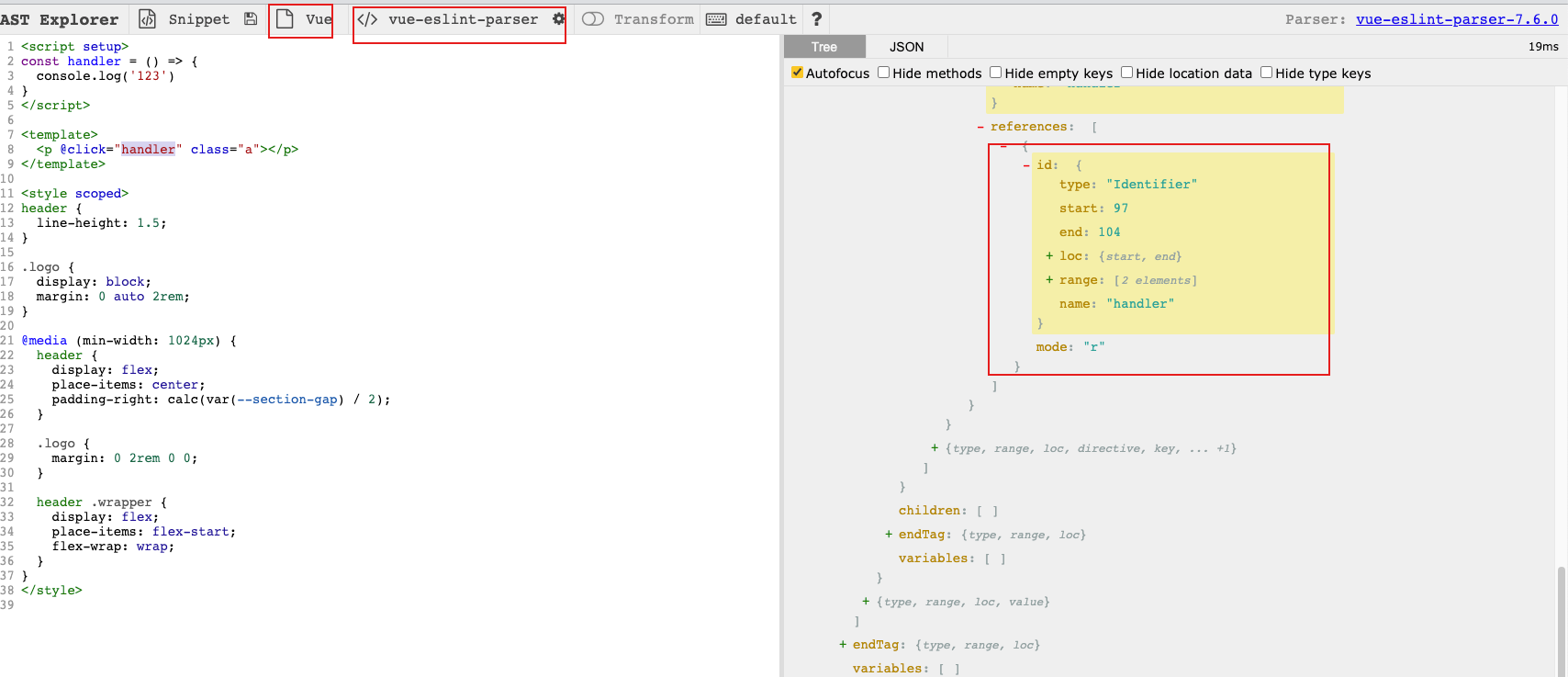
image-20230528174142371
参考链接
手把手教你实现一个自定义
eslint 规则 - 掘金 (juejin.cn)
写一个 eslint
插件:vue template 中 class 顺序的检查和自动修复 - 掘金
(juejin.cn)