element scrollBar 使用
John Doe项目架构
1
| { "dependencies": { "element-ui": "^2.4.5", "vue": "^2.6.11", }, "devDependencies": { "@vue/cli-plugin-typescript": "^4.5.0", "typescript": "~3.9.3", }}
|
1
2
3
4
5
6
| import type { ElementUIComponent } from 'element-ui/types/component';declare class ElScrollbar extends ElementUIComponent {
handleScroll: () => void;
declare module 'element-ui/types' {
super(); }
export class Scrollbar extends ElScrollbar {}
}
|
1
2
3
4
5
6
7
8
9
10
11
12
13
14
15
16
17
18
19
20
21
22
23
24
25
26
27
28
29
30
31
32
33
34
35
36
37
38
39
40
41
42
43
44
45
46
47
48
49
50
51
52
53
54
55
56
57
58
59
60
61
62
63
64
65
66
67
68
69
70
71
72
73
74
75
76
77
78
79
80
81
82
83
84
85
86
87
88
89
90
91
92
93
94
95
96
97
| <template>
<el-popover
placement="bottom-start"
v-model="visible"
:visible-arrow="false"
popper-class="square-select-popover"
>
<div
slot="reference"
class="select-wrapper flex items-center"
>
<span>{{ title }}</span>
<img src="@/assets/images/arrow-down-grey.png" class="icon" :class="{ active: visible }">
</div>
<el-scrollbar wrapClass="square-select__bar" tag="ul" ref="scrollBarRef">
<li
v-for="item in listData"
:key="item.id"
class="square-select__option"
:class="{ 'square-select__option--active': value === item.value }"
@click="onSelect(item)"
>{{ item.name }}</li>
</el-scrollbar>
</el-popover>
</template>
<script lang="ts">
import {
Component, Vue, Prop, Model, Watch,
} from 'vue-property-decorator';
import { Popover, Scrollbar } from 'element-ui'; // 这里引入,
// 能够导入的原因是/Users/ganguo/Documents/companyProject/dxskxt_frontend/node_modules/element-ui/src/index.js 里面导出了。
// 如果没有导出 就需要 element-ui/packages/scrollbar 这样写
import type { IOptionItem } from '@/models/Base';
@Component({
components: {
[Popover.name]: Popover,
[Scrollbar.name]: Scrollbar,
},
})
export default class PopoverSelect extends Vue {
@Prop({
default: () => [],
}) listData!: Array<IOptionItem>
@Model('select-change', {
type: String,
}) value!: string
get title() {
const index = this.listData.findIndex(item => item.value === this.value);
if (index !== -1) {
return this.listData[index].name;
}
return '全部';
}
visible = false
@Watch('visible')
onVisibleChange(status: boolean) {
// 由于popover 因此了元素,scrollTop 置为0了。 需要重新设置scrollTop
if (status) {
// 定位到选择的元素
this.$nextTick(() => {
const wrapEl = (this.$refs.scrollBarRef as Scrollbar)
.$el.querySelector('.square-select__bar') as HTMLElement;
const activeEl = wrapEl.querySelector('.square-select__option--active') as HTMLElement | null;
if (activeEl) {
const offsetTop = activeEl.offsetTop;
wrapEl.scrollTop = offsetTop;
}
});
}
}
onSelect(data: IOptionItem) {
this.visible = false;
if (this.value !== data.value) {
this.$emit('select-change', data.value);
}
}
}
</script>
<style lang="scss">
.square-select-popover {
padding: 0;
border-radius: 4px;
overflow: hidden;
background: #ffffff;
box-shadow: 0px 1px 12px rgba(#3F3F3F, 0.14);
}
.square-select__bar {
max-height: 300px;
}
</style>
|
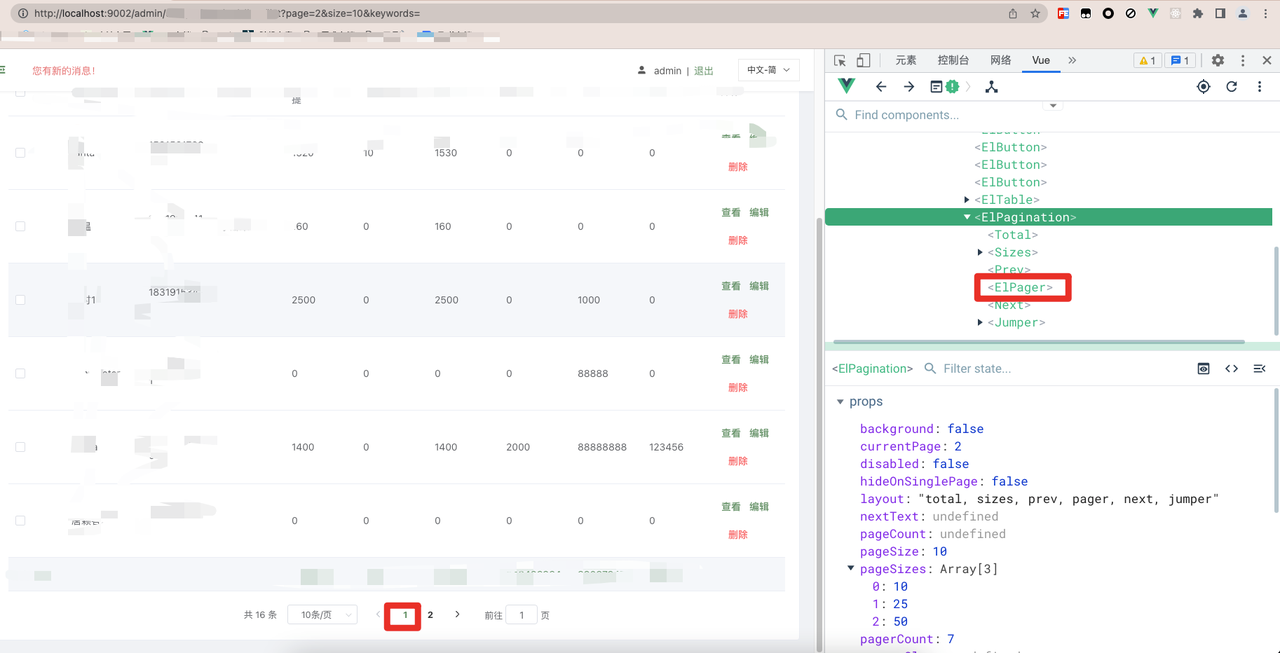
element el-pagination current-page 赋值无效分析